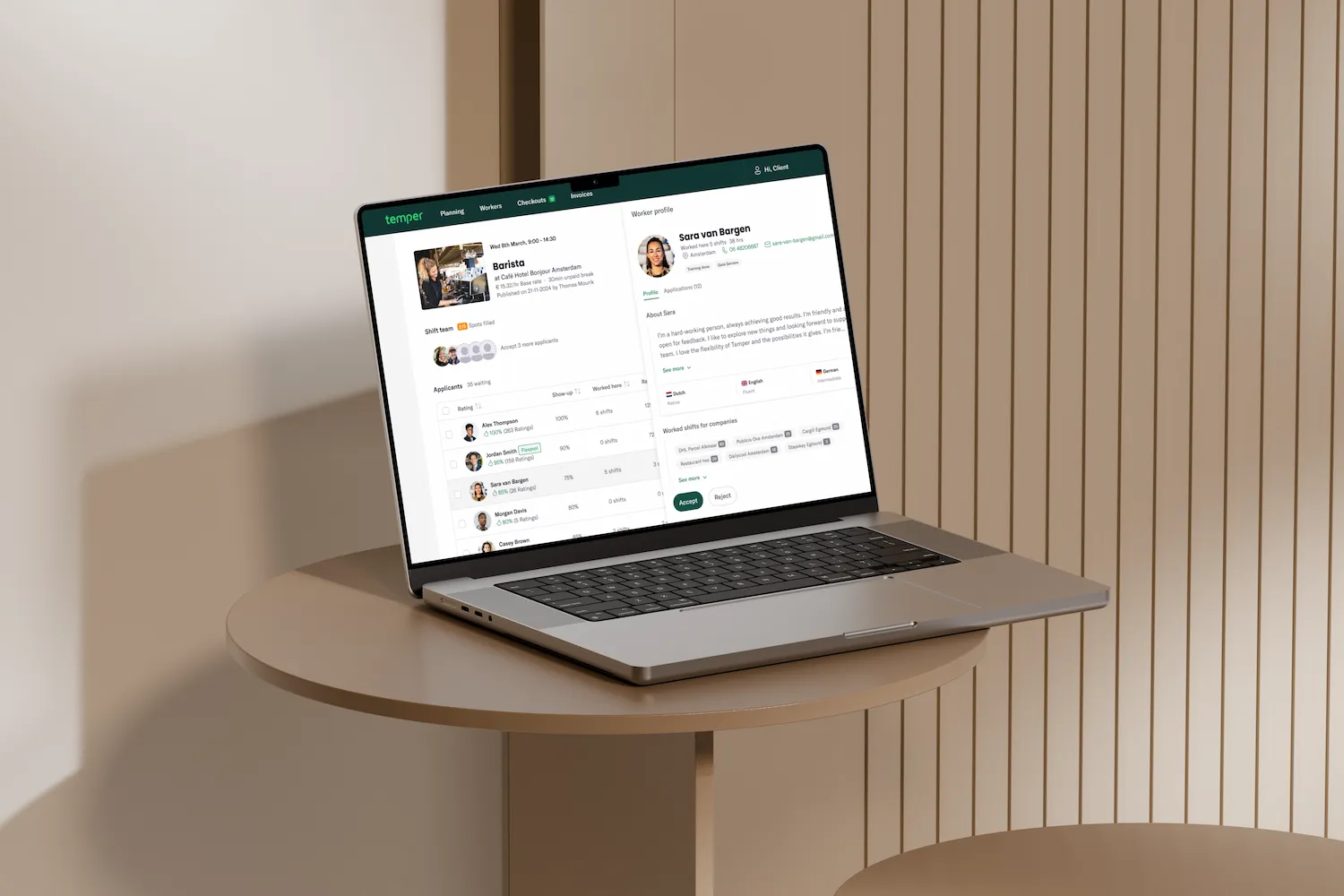
Helping workers find the shifts that fit them — and get accepted
Getting new workers from sign-up to their first application, and steering them towards the shifts they're most likely to get
- Role
- Product Designer, Finding & Matching
- Duration
- 4.5 years, ongoing
- Platform
- Worker app (iOS & Android)
- Core metric
- Filled shifts & worked hours
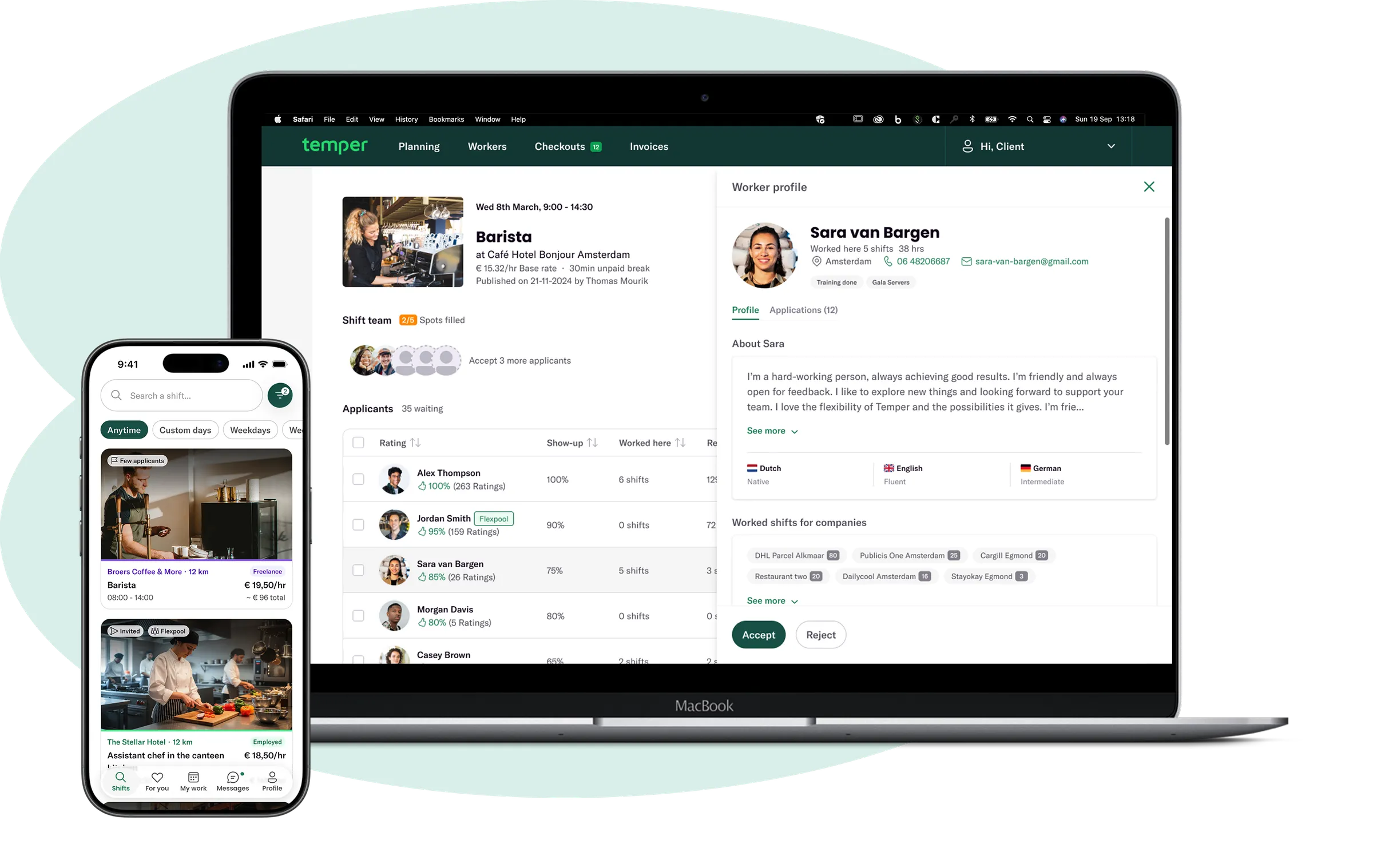
Both sides of the marketplace: the worker app and the client platform.
My role
Product Designer in the Finding and Matching team for the last 4.5 years
Temper is a job marketplace connecting businesses with flexible workers across NL and UK. I own the design for the flows that get workers matched with companies, driving the platform’s core metric: filled shifts and worked hours.
Temper has two sides — a mobile app for workers and a web platform for clients — and I design for both. This case is about the worker side: how workers get started, find shifts, and apply to the ones they’ll actually get.
The client side is its own case: Temper — Client PlatformChallenge
How might we help workers find the right shifts — and get accepted, again and again?

Accepted, this shift, payment received, few applicants — the moments that matter to a worker.
With so many shifts published on Temper, workers face two problems: it’s hard to find the ones that genuinely fit them, and even harder to know which ones they’d actually get accepted to.
Every initiative on this side laddered up to three outcomes: getting more new workers from sign-up to fully onboarded and applied, lifting the acceptance rate so applications turn into worked shifts, and growing flexpool usage so a good first match becomes a recurring one. What follows is how we chased those goals — the problems we solved and the features I designed along the way.
01
Increasing the conversion rate
From new to fully onboarded & applied workers.
02
Increasing the acceptance rate
Applying to shifts workers will actually get.
03
Increasing flexpool usage
Recurring matches & worked hours.
Getting workers set up for success and ready to be chosen
Onboarding walks new workers through the essentials — identity verification, personal details, and payment setup — that are required to work on the platform and meet its legal and compliance needs. The necessary first steps double as an opportunity to stand out.
Alongside that, we actively encourage workers to complete their resume: a bio, profile picture, work experience, and languages. A fuller profile isn’t just a formality — it’s the worker’s first impression on clients, and the more complete it is, the more confidently a client can choose and accept them.
We also surface the rules of the platform at the right moments, explaining the differences that matter — like the legal and tax implications of freelance versus employed shifts — so workers understand what they’re agreeing to from the start. And once they’re active, an overview of hours worked and applied to helps them keep track of their applications at a glance.
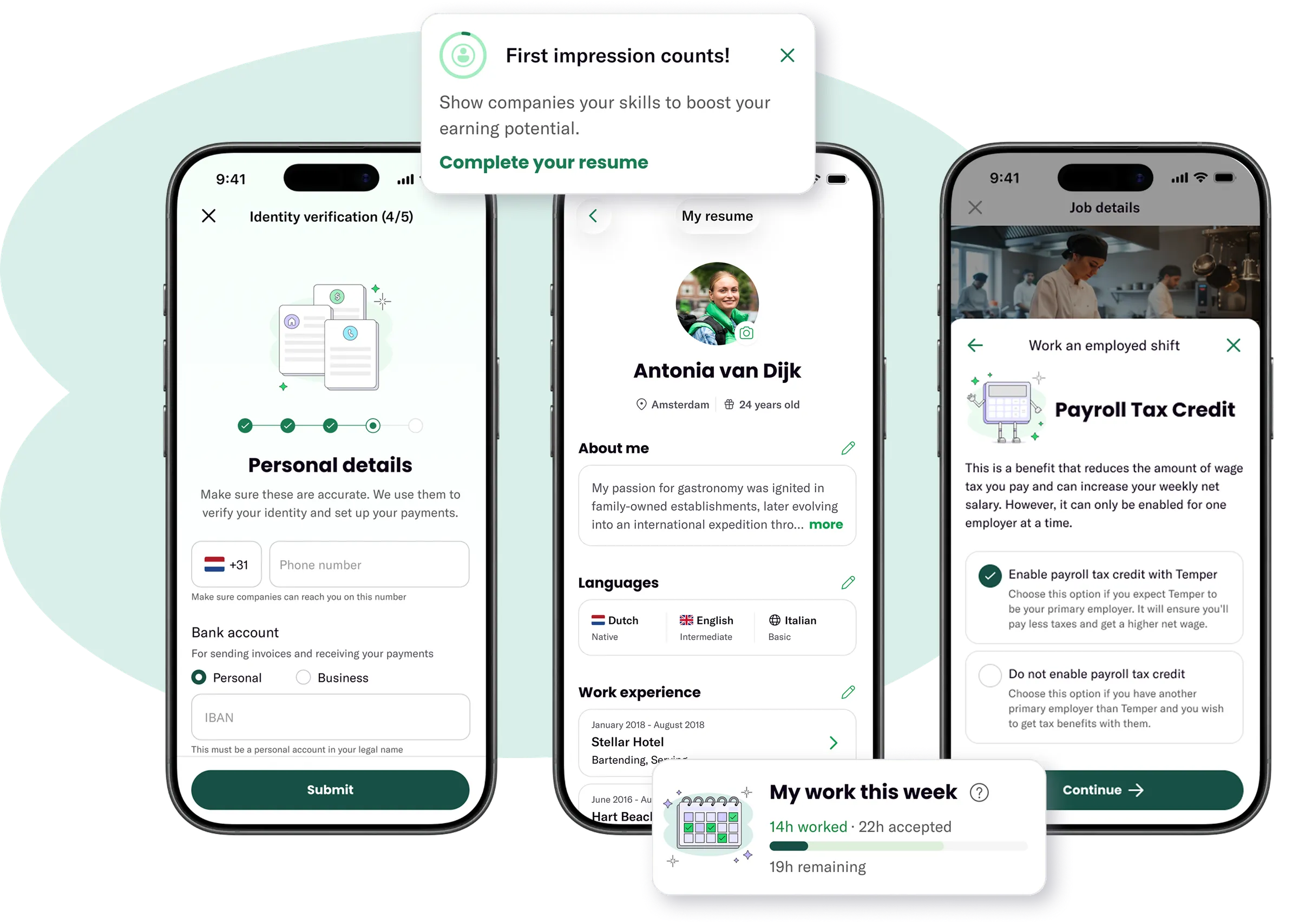
Identity verification · My resume · Rules & tax logic · Hours worked
Helping workers find shifts that fit them — and they’re most likely to get
Rather than leaving workers to scroll and guess, each of these features steers them toward shifts that match their location, availability, and history — and highlights where they already have an edge, whether that’s a personal invite, a spot in a client’s flexpool, or a shift few others have applied to.
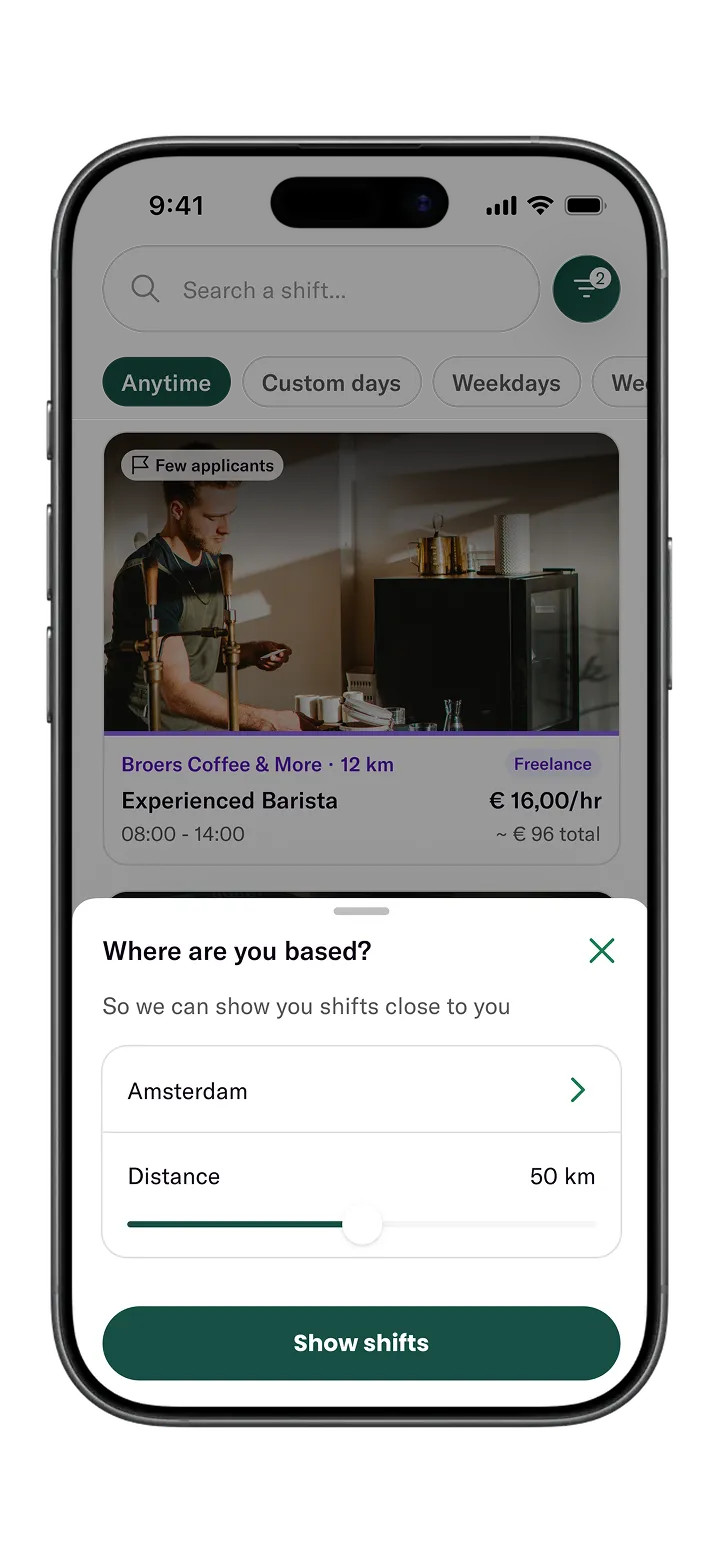
Location filter
When landing in the app for the first time, workers set their location to personalise their shift search.
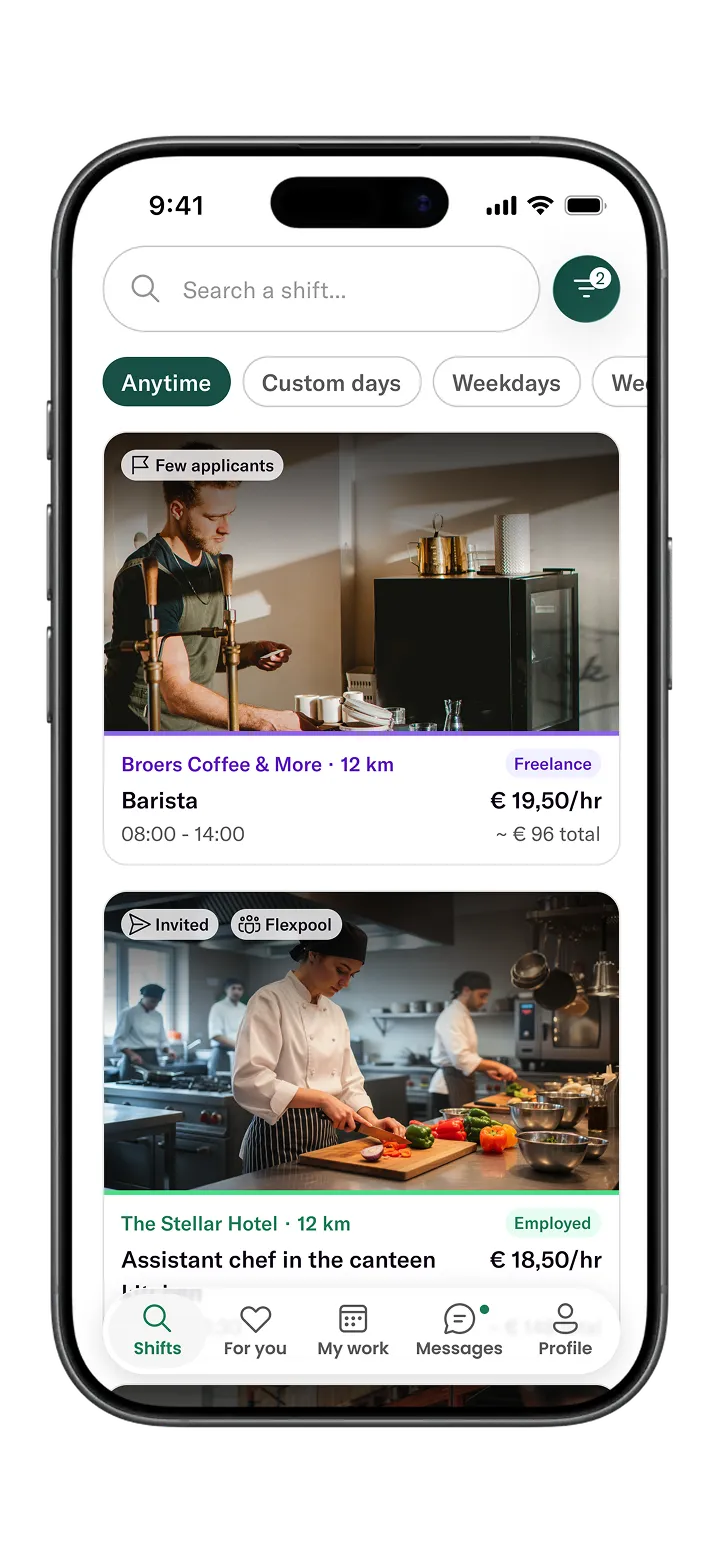
High-chance tags
Shifts are tagged to show where there are still only few applicants, and where the worker is invited.
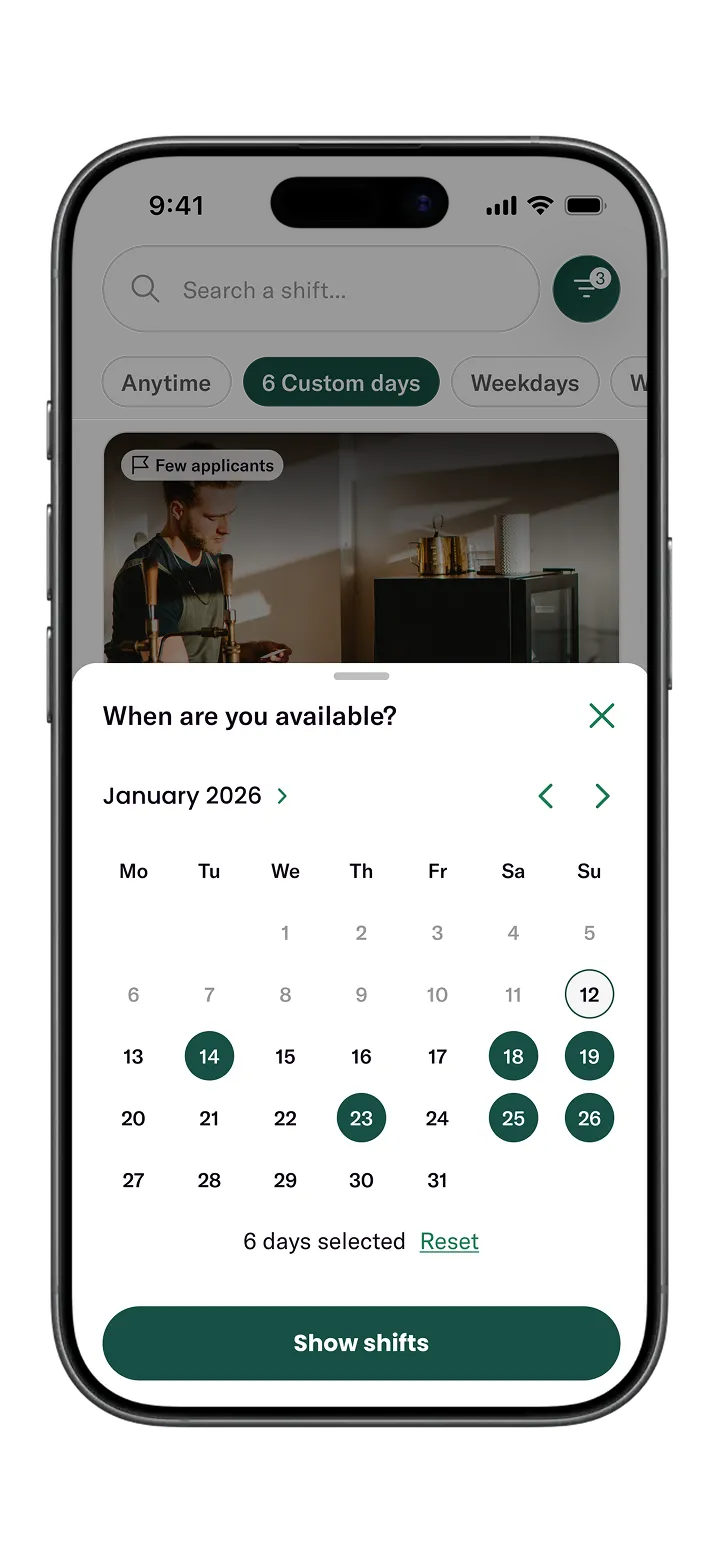
Available days filter
A multi-date calendar filter lets workers only see shifts on days they have time.
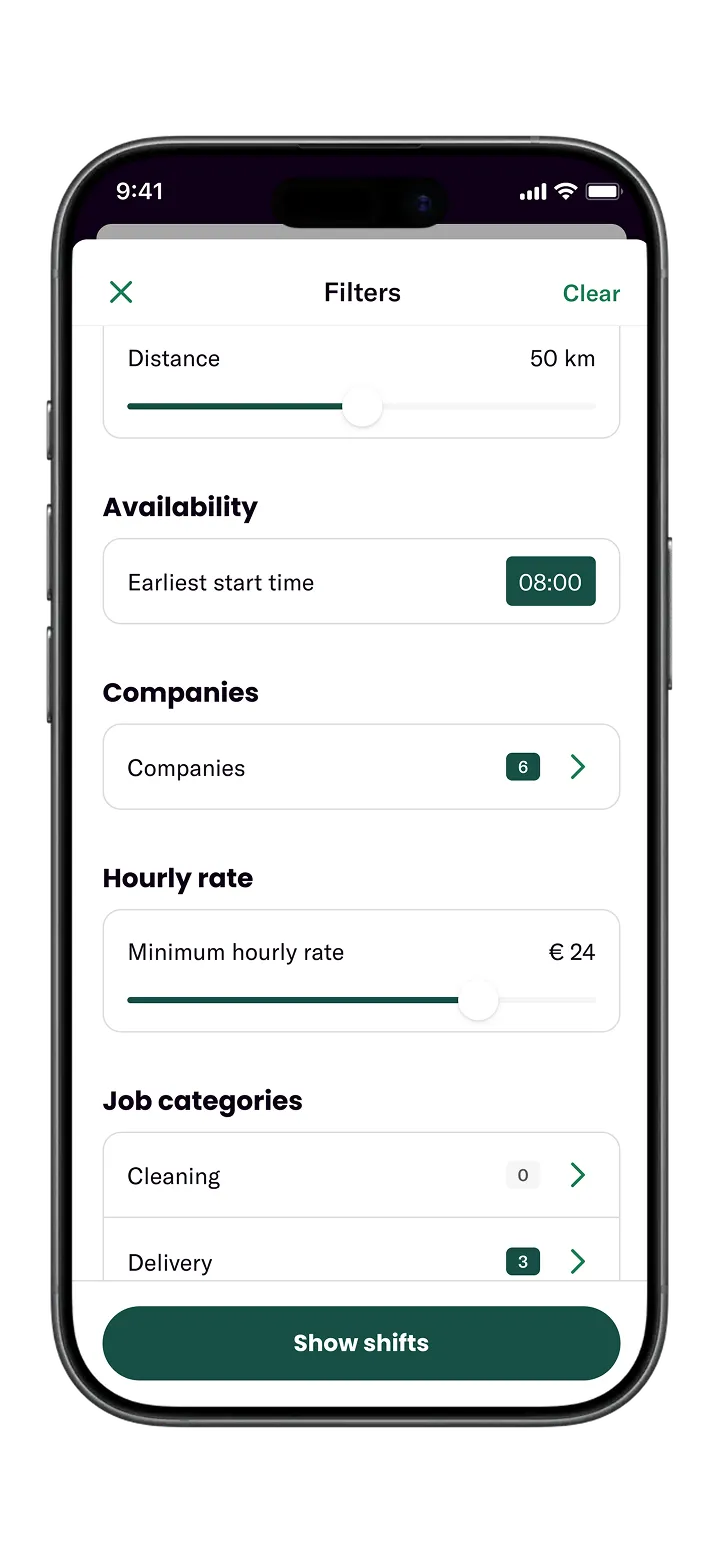
Earliest start time
Lets workers filter out shifts that start too early — or too late, like night shifts.
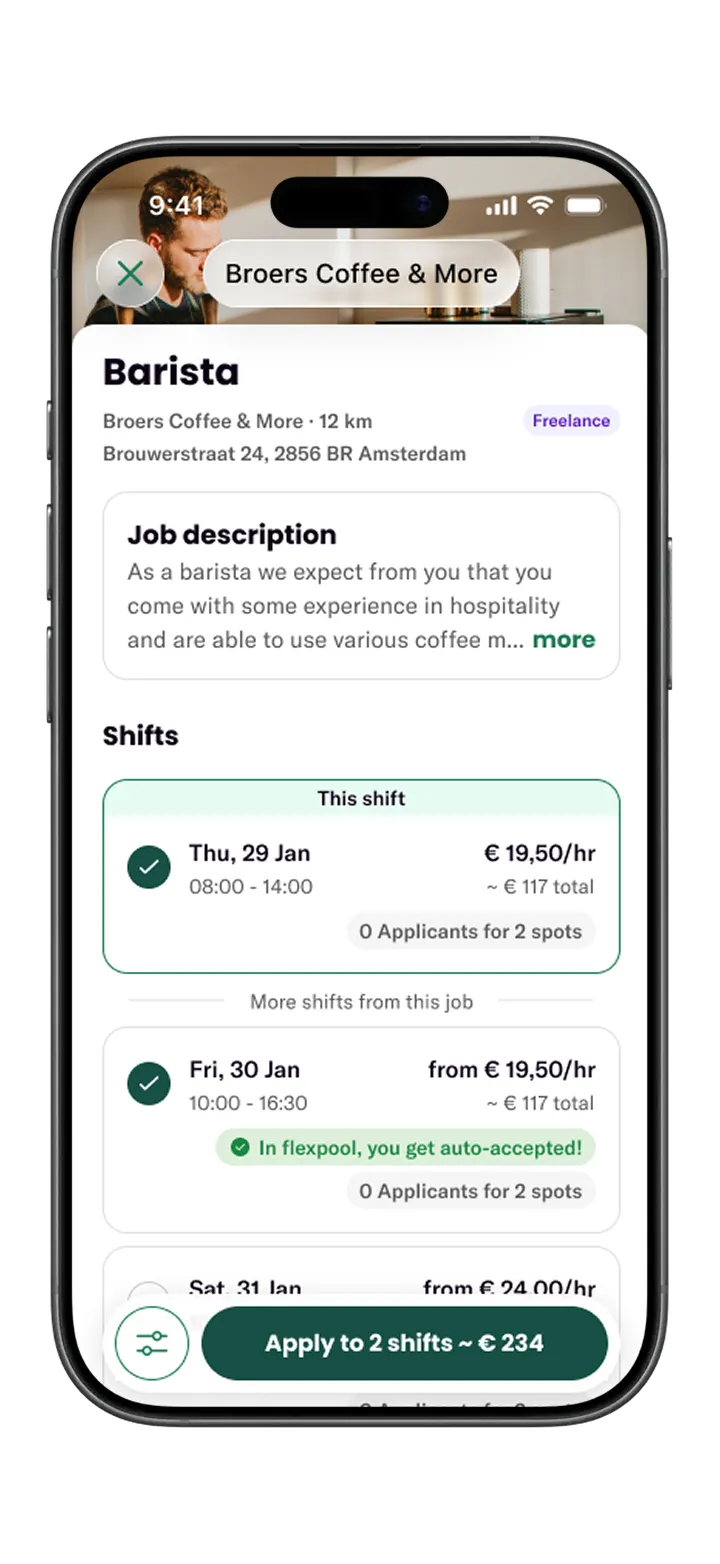
Sum of total earnings
Total earnings in the details and on the apply button show what a shift — or several — is worth.
A personalised shift feed that helps workers find and get accepted to the right shifts
Before
Browsing was effortful, relevant shifts were easy to miss, and a lot of applications went to shifts where the worker was never a strong match — wasting their time and lowering their success rate. Personal invites from clients only arrived by email and were easily lost.
After
One personalised feed that brings the most relevant, highest-acceptance-chance shifts together, so workers spend less time searching and more time getting matched.
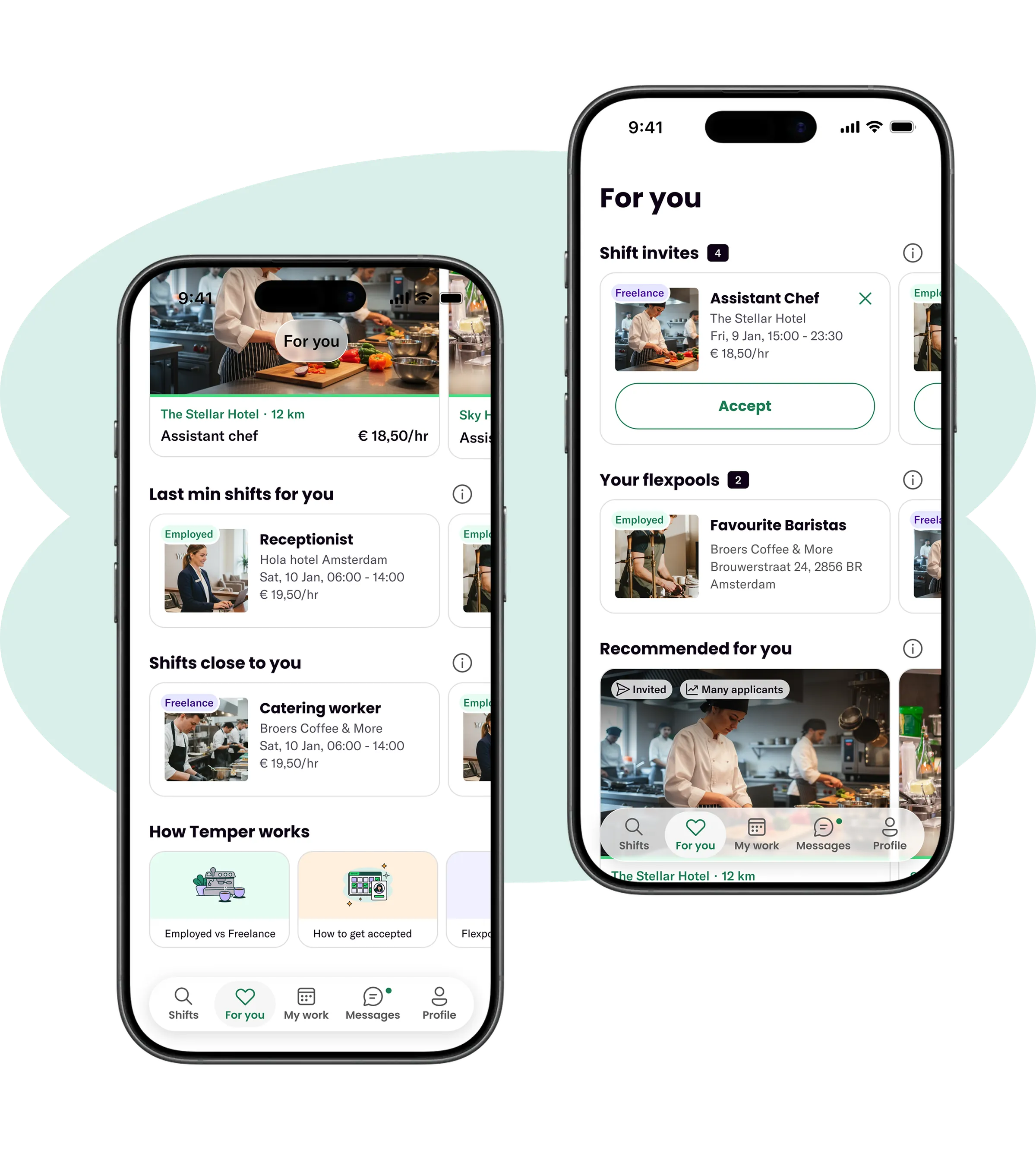
The For You page
The page is built around fit and likelihood of acceptance. At the top, it surfaces personal client invites, giving them the prominence they deserve. It also pulls in shifts from flexpools the worker already belongs to — a client’s group of favourite workers — so there’s no need to hunt for them.
Woven throughout are short educational blocks on how Temper works, helping workers understand what drives acceptance — so they not only find better shifts, but behave in ways that get them accepted more often.
- Client invites
- Previously email-only and easily lost, now given prominence at the top.
- Flexpool shifts
- Pulled in from pools the worker already belongs to.
- Recommendations
- Based on the worker's experience and previously worked shifts.
- Better odds
- Last-minute shifts, where clients accept quickly, and shifts close by.

Live
The Temper app is in the stores
The other half of the match
Temper — Client Platform
Applying is only half of a match. How I help clients trust and accept the workers who apply — including the Best Match numbers.