Scanning equipment instead of registering it by hand
A design sprint for Shell: a mobile app that lets wells engineers scan equipment to ship, receive or certify it, and a dashboard that shows coordinators where every item is — tested with engineers in the warehouse
- Role
- Product Designer in the sprint team
- Duration
- One-week design sprint, 2018
- Platform
- Mobile app & desktop dashboard
- Outcome
- Validated prototype & design report
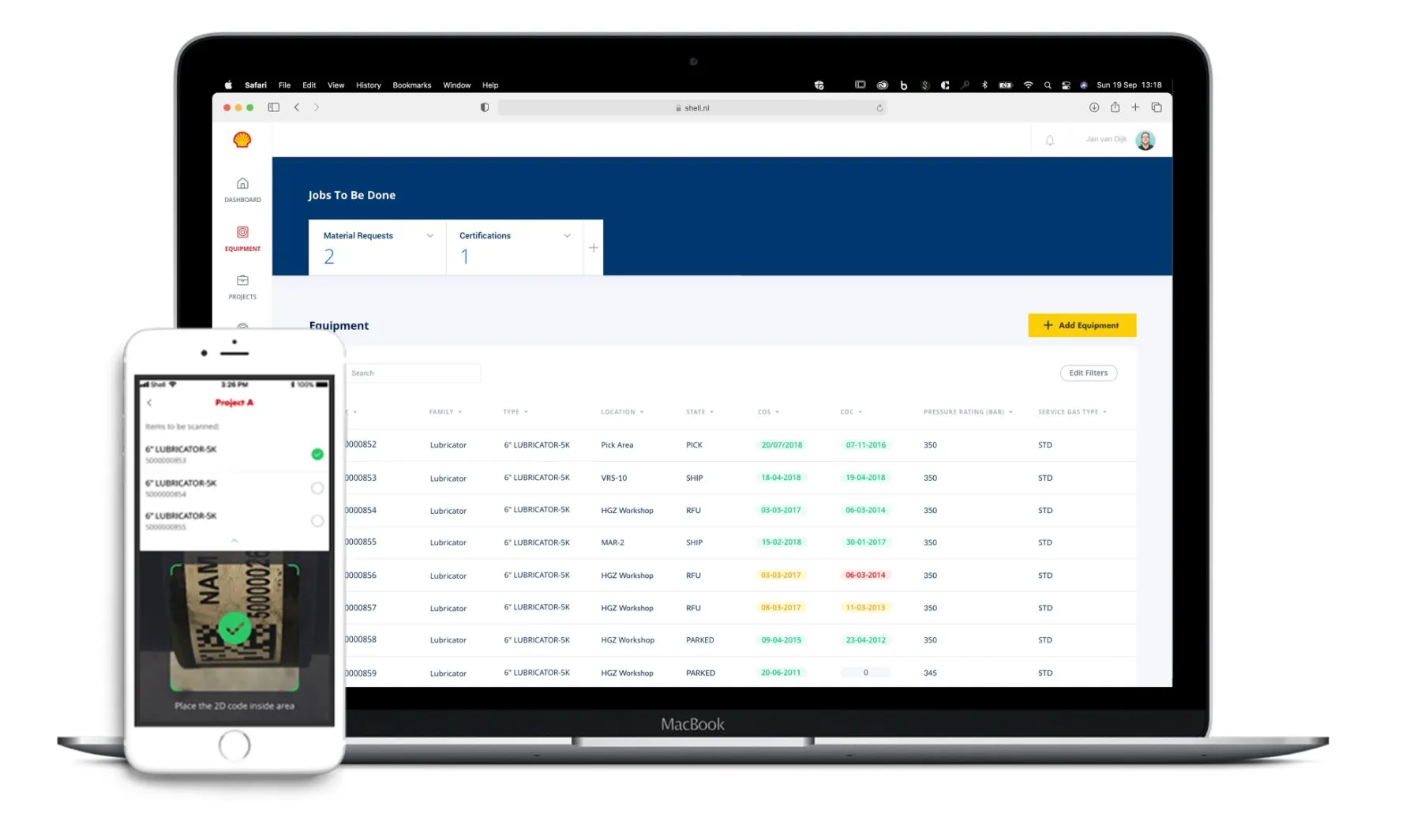
The coordinator dashboard and the engineer's scanning app.
My role
Product Designer in a design sprint team
The team was one other designer, a facilitator, the client’s product owner and a blockchain specialist. I:
Ideated and sketched concepts based on existing personas & user research insights
Designed a prototype of the key user flows and tested it in the field with engineers
Refined the design according to the test findings and wrote the report for implementation
Challenge
How to provide a shared, automated equipment management system that is intuitive to use and controls costs?
Whenever an equipment item is shipped to a different location, it needs to be registered manually. This is inefficient and sensitive to human mistakes. Engineers are under time pressure, because equipment is rented and costs money every day it sits somewhere unregistered — while paperwork is difficult to do with oily hands and outdated systems.
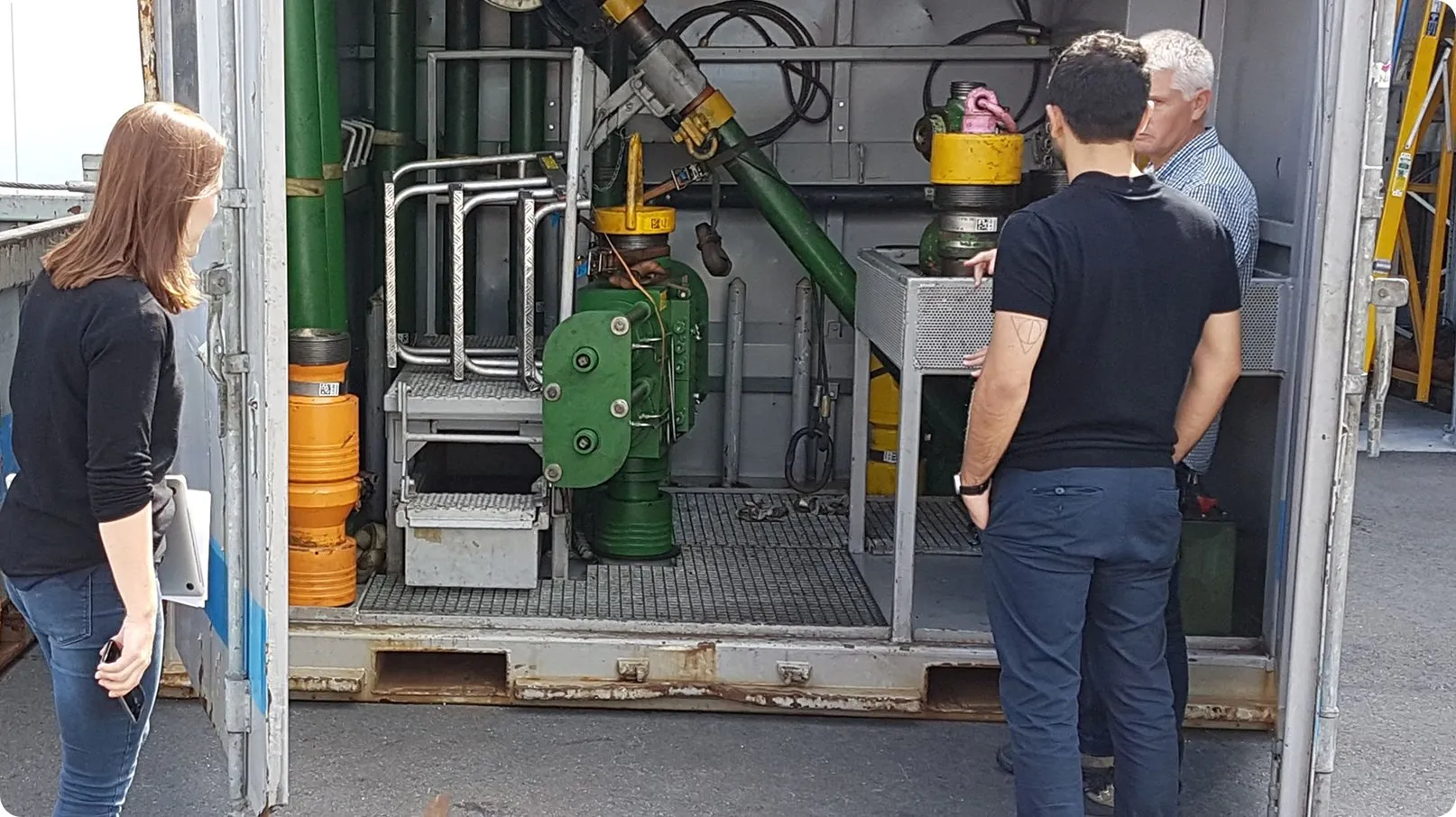
Seeing the equipment and the registration work on site.
Before / after
Hand-written registration → scanned on the spotToday
Every move of an item is written down by hand and typed into several systems later. Nobody has one place to see where an item is or whether its certification is still valid.
The concept we tested
Engineers scan an item's ID code on the spot to ship, receive or certify it; every change is stored in the blockchain with the person who made it. Coordinators see location and certification status of all items in one dashboard.
The product owner came well prepared into the sprint, knowing what should be achieved:
01
Reducing manual errors
Every registration scanned, not written.
02
Saving time
Registering while walking around the equipment, not at a desk afterwards.
03
Controlling costs
Knowing where rented items are and when certifications expire.
The sprint
From the product owner’s vision to a prototype we could put in engineers’ hands
Our design team helped generate ideas on how an app and a dashboard can help field workers adopt a workflow of registering equipment in a blockchain. During the ideation session we all came up with sub-solutions that we merged into an initial concept, and agreed on the six key use flow steps to test in a prototype.
Then we took the prototype into the context of use — the wells equipment factory — and filled it with real data and copy that makes sense for the users to interact with. That turned out to matter: it was a challenge to integrate the app’s flow with the ways of working in the factory. Each step should feel efficient and easy to do whilst walking around the equipment.

Use flow 1 — Register and ship equipment by scanning it
The mobile app uses ID-code scanning to check an equipment item’s passport and store the information in the blockchain. This makes it easier for employees and safer for the company to have the right items at the right location — ready for use.
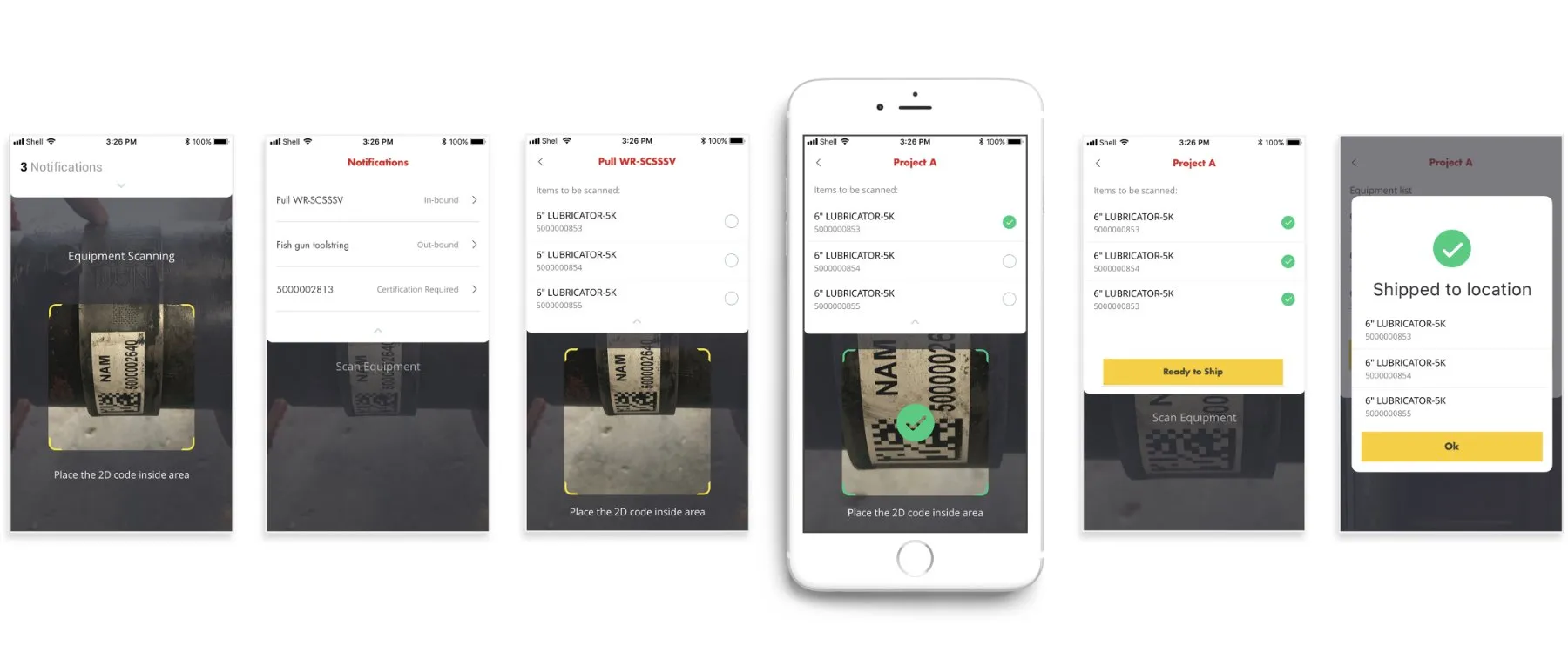
App home screen
From here, users can either directly scan an ID code or look at their notifications.
Job notifications
A list of all jobs to do.
Item list to scan
Each job lists all items that need to be scanned. The scanner is ready in the bottom half of the screen.
Item scanned
Users scan matching items in any order. The scanner confirms each match automatically so they can keep going.
Outbound / Inbound
When all items are checked, the user performs the planned action: ship the list out, or receive it in.
Confirmation
The job is done, and the blockchain remembers who made the change.
Use flow 2 — Check and update an item’s certification on the spot
Every item has a passport: type, pressure rating, owner, current location and project, and its certifications. Instead of looking these up in different systems, engineers scan the item and see everything — and can run a certification test right there, step by step, with measurements entered digitally.
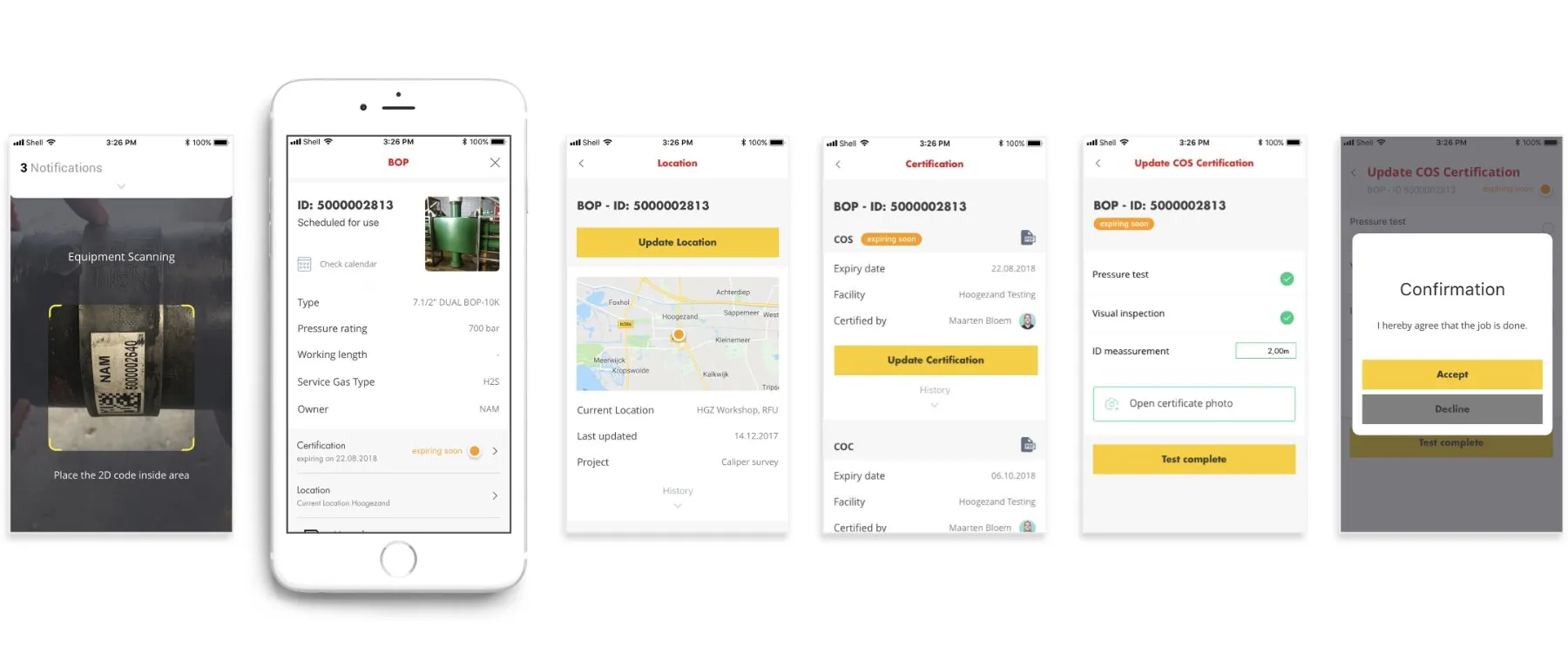
Equipment passport
Once an ID code is scanned, or an item is tapped, its passport is shown. All information can be updated.
Location
Current location and assigned project, with the history of where this item has been.
Certification
Current certification and who certified it, with the history of past certifications.
Update a certificate
For each certification type, users see the required test steps, confirm each one, insert measurements and can upload test results.
Confirmation
When the test is complete, users accept the confirmation. The blockchain remembers who updated the certificate.
A dashboard that shows coordinators where items are and how long their certification still lasts
Work coordinators are responsible for keeping track of the equipment. The desktop dashboard gives them one platform for managing the items in the blockchain and the workers who are responsible for them: which certificates expire soon, where the work units are, and the registration history of every item.
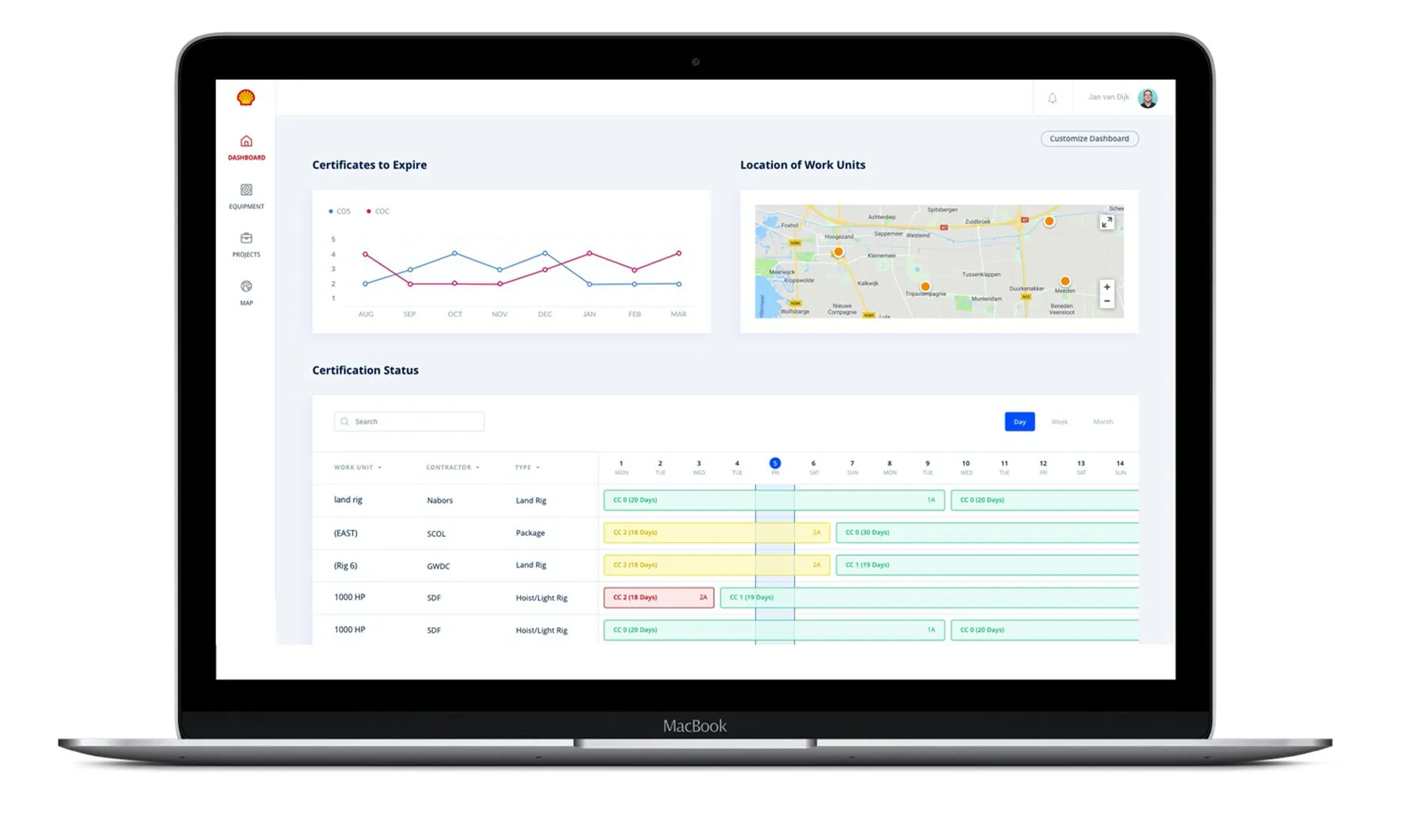
Desktop app for coordinators.
Outcome
What the engineers said in the fieldWe tested the prototype with engineers in the equipment warehouse. They found the platform more unified and easier to use than the multiple systems they currently have to deal with. Especially the connection between desktop project lists, the mobile app and the test devices can be powerful.
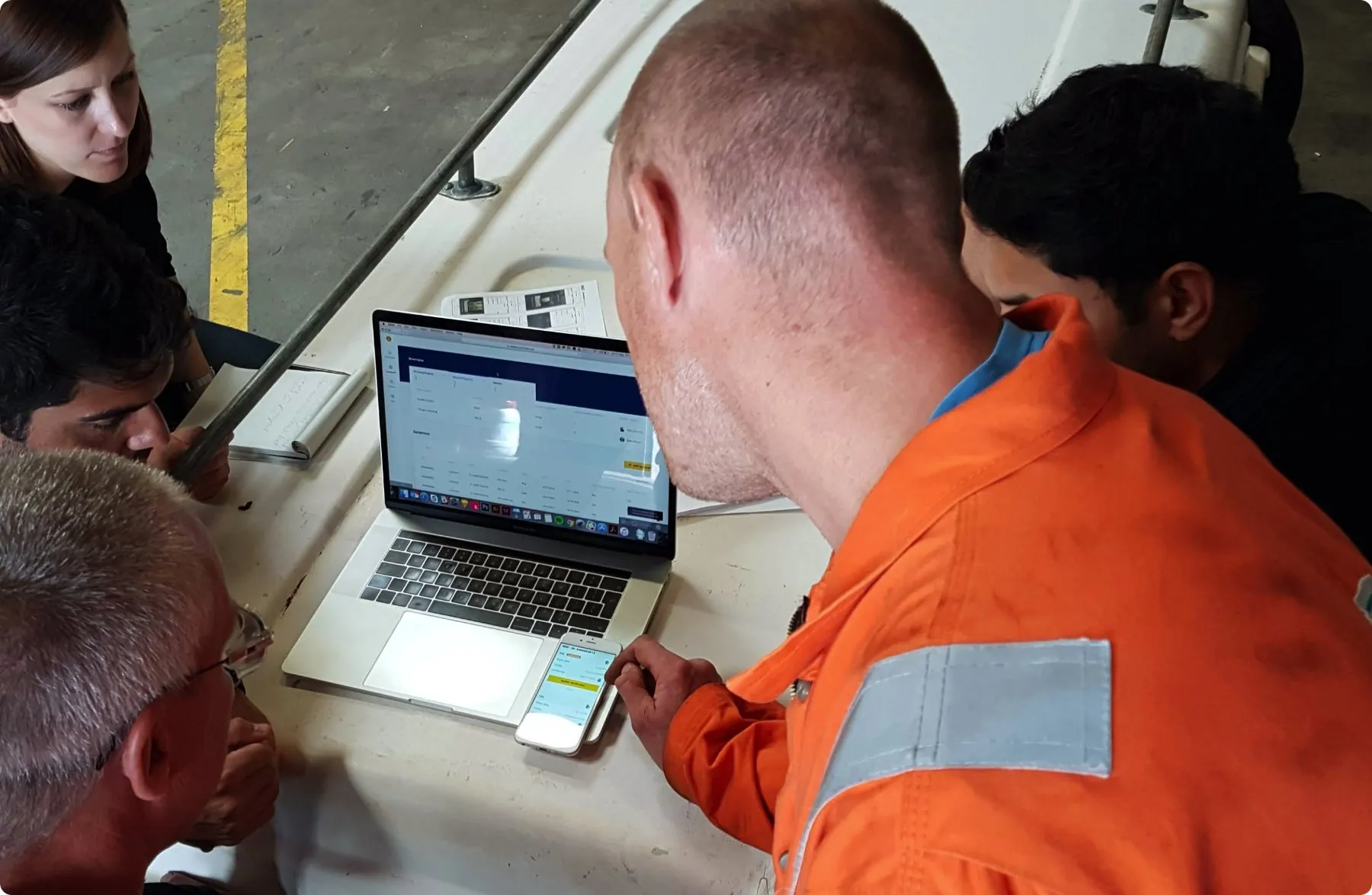
“The app makes equipment registering more reliable and it’s easy to contact the responsible owner of an item.”
Validated
A validated prototype of both key flows, tested in the field with three different engineers.
Handed over
A design report handed to Shell as the basis for implementation.
Where my part ends
Shell's internal team took the concept forward into implementation after the sprint. My involvement ended with the report, so I can't speak to what shipped.
Next case
Unilever — gro24/7
Another workflow people do under time pressure: a B2B ordering platform small grocery shop owners come back to.